
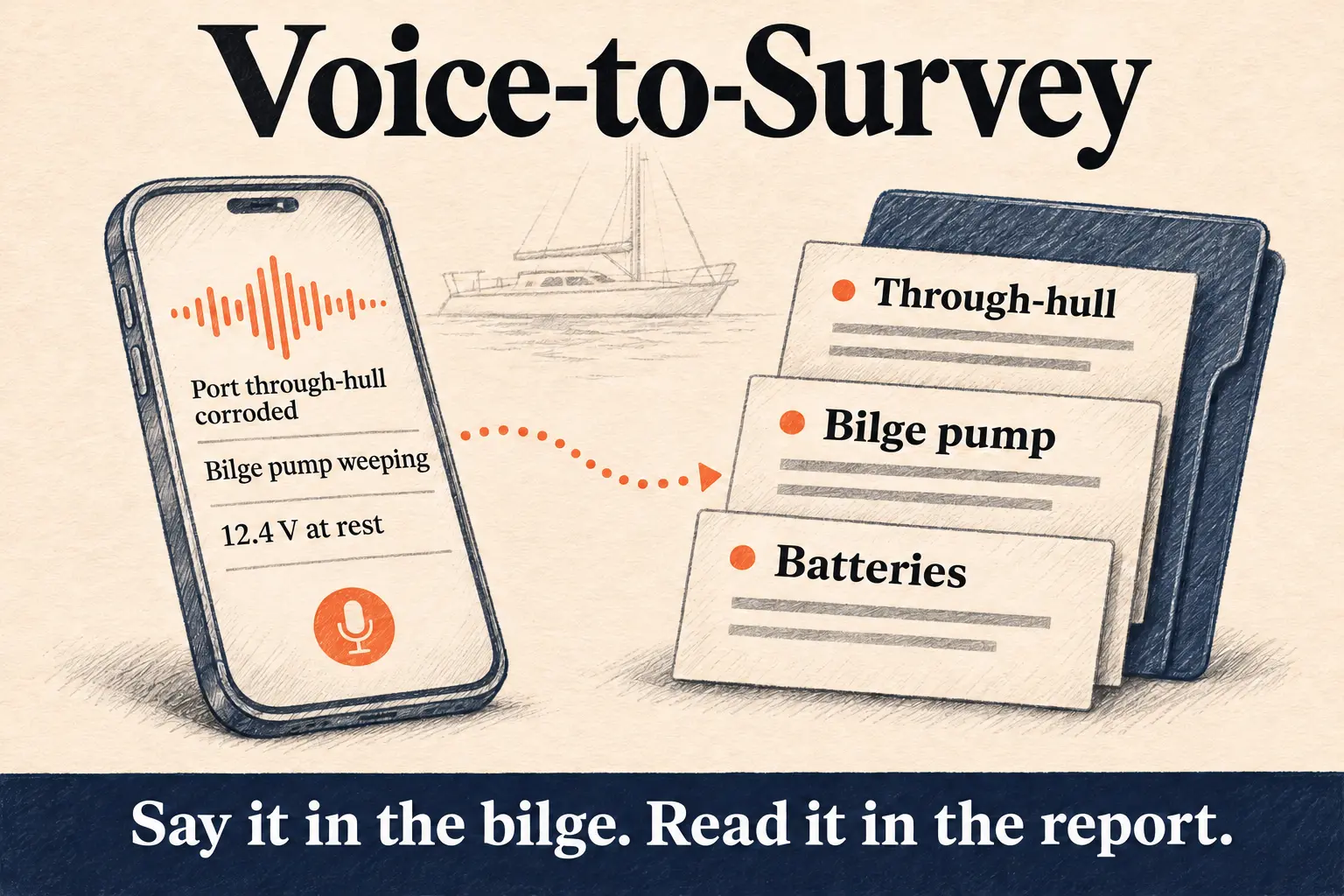
Voice to text for a marine survey means you talk through the boat as you inspect it, your phone turns the speech into text, and software turns that text into findings and a draft report. Done well, you step off the boat with the report already written, and your evening is for checking it.
This guide covers how speech to text works on a phone, why offline matters on a boat, what happens between your words and a finished marine survey report, and how other trades already write their reports this way.
How speech to text works
A speech model listens to audio and predicts the words in it. Modern models are neural networks trained on huge amounts of recorded speech. They read a whole stretch of audio and predict the most likely sentence, which is why they cope with "the port seacock is seized" better than older dictation did.
There are two ways to run one:
- In the cloud. Your phone sends the audio to a server, the server sends text back. Most phone keyboards and office dictation work like this by default. It needs a connection the whole time.
- On the phone. The model is stored in the app and runs on the phone's own processor. Nothing leaves the phone to be transcribed. It works in airplane mode, in a steel hull, below the waterline.
A streaming model transcribes while you're still speaking. It cuts the audio at your natural pauses and finishes each line a moment after you stop, so you can glance at the screen and see what it heard.
Marine words
General speech models are trained on everyday speech. Heads, re-bed, weep, stanchion and P-bracket are rare in that data, so a plain dictation app will write "oil wheat" when you said "oil weep". The fix is key-term biasing: the app gives the model a list of trade words, and the model leans towards them when the sound is close. Axsail's phone app carries a curated list of marine survey terms for exactly this.
Why offline speech to text matters on a boat
Signal dies in the places you spend most of your time: engine rooms, lazarettes, bilges, the inside of a steel or aluminium hull, a boatyard shed. A cloud dictation app either stops or loses what you said.
Axsail transcribes on the phone. Each finished line is stored on the phone and sent in order when there's a connection again, so a survey done entirely without signal still reaches your account intact. The one thing that waits for signal is the questions about missing details, covered below.
You can keep the phone in your pocket. It records and transcribes on its own while your hands are on a torch and a moisture meter.
From transcript to survey report
A transcript is a long list of sentences in the order you said them. A survey report needs something else: findings grouped by system, each with a location, a reading, a recommendation and a priority. That step is where an AI survey report generator earns its keep.
- Findings. As lines arrive, Axsail reads the whole transcript and builds the list of findings. "Starboard engine, raw water pump weeping at the shaft seal, recommend rebuild" becomes one finding under the engine, graded and with its recommendation. Come back to the same item ten minutes later and Axsail updates that finding.
- Photos. Take photos as you go, from inside the app, without stopping the recording. Axsail places each photo on the finding it shows by what you said around it. Say "photo of the cracked hose" and it lands on the hose.
- Questions while you're there. When a finding is missing something a report needs, like the battery voltage or where the seacock is, your phone buzzes with the question. You answer out loud and keep going. It's the reading you'd otherwise discover missing at your desk that night.
- The draft. When you tap Finish, Axsail drafts the report for the survey type you chose: pre-purchase, insurance, condition and valuation, damage. It carries your logo, company, surveyor name and signature.
- Your review. On the web you check every finding, edit the wording, move photos and finalise. Nothing goes to your client until you do.
See how it works for the screens, or compare the approach with recording voice memos and dictating later.
The same idea in other trades
Surveyors aren't the first to try this. Professions that write a report after every job have been moving the writing to the moment of the work. The pattern holds everywhere: software drafts from the recording, and a person signs.
Doctors: ambient AI scribes
An ambient scribe listens to a consultation on the doctor's phone and drafts the clinical note for the doctor to review. A University of Pennsylvania study of 46 clinicians using one, published in JAMA Network Open, found 20.4% less time in notes per appointment (from 10.3 to 8.2 minutes) and 30% less after-hours work (from 50.6 to 35.4 minutes per workday). Clinicians also rated themselves far less distracted by documentation while talking to patients.
The surveyor's version of after-hours work is the report written at the kitchen table. Same problem.
Police: reports drafted from body camera audio
Axon's Draft One transcribes body camera audio and drafts the narrative of the incident report. In its launch announcement, Axon says drafts are written strictly from the audio transcript, include placeholders the officer must fill in, and need the officer's sign-off before they go further. Axon says agency trials saved roughly an hour of paperwork a day, and a sergeant at Fort Collins Police Services reported an 82% drop in report writing time. Both figures come from Axon and its customer.
Mechanics: the three Cs from one sentence
Workshop repair orders record each job as concern, cause and correction. ARI's voice dictation lets a technician describe the whole issue in one pass and splits it into those fields, or dictate a walkaround that becomes separate issues to review. ARI is clear that the result is a draft the technician checks. A finding in a survey report works the same way: what you saw, why it matters, what to do.
Home inspectors: voice notes on photos
Home inspector Dylan Chalk, co-owner of the inspection software maker ScribeWare, writes that he uses his phone's voice-to-text to caption most of his photos on site, and that it saves him a lot of report writing time. He also runs inspections with the phone in airplane mode and says voice-to-text is much faster that way. That's a vendor's own account, but it's the nearest trade to yours.
What surveyors can take from it
All four keep the professional in charge: the software drafts, the person signs. The difference on a boat is the conditions. No signal, a lot of noise, both hands busy, and a vocabulary no general model was trained on. That's why Axsail transcribes on the phone with a marine vocabulary, and asks for missing readings before you leave.
How to dictate a survey so the report writes itself
- Say where before what. "Engine room, port side, fuel return hose" gives the finding its location.
- Read numbers with units. "Twelve point four volts at rest", "moisture thirty on the relative scale".
- Say what you recommend. "Replace before launch" or "monitor at next haul-out" sets the priority.
- Name the photo. "Photo of the corroded terminal" puts it on the right finding.
- Correct yourself out loud. "Sorry, starboard, not port" is fine. The finding takes the correction.
The yacht survey checklist gives you an order to walk, and the findings library shows how graded findings read in a finished report.
What it costs to try
Every new account starts with 4 free credits and no card. After that you pay credits only when you finalise a report. Recording, drafts and edits cost nothing. Run it on your next survey next to your usual method and compare the evenings.
Start free and talk through your next boat.